
Every qualifying DACC student receives a free device bundle through the XCITE program — now with a choice between an iPad or a MacBook Neo. First-Time Recipient Must be a DACC student who has not previously received an XCITE device. 6–12 Credits Enrolled Registered for 6 or more credits for the current semester. Declared Degree Program Enrolled in a DACC degree program (Associate of Science, Nursing, Automotive, and more). Your device is yours while you attend DACC and becomes permanently yours upon graduation. Note: Before selecting a device, we recommend consulting with your academic advisor or faculty in your program. Device needs may vary depending on course requirements, required software, and learning activities. Please review the “Choose the Device That Fits Your Needs” accordion below for additional guidance and details. Apple iPad 128GB Storage Apple Pencil 1st Generation iPad Case Bluetooth Keyboard Safeware 2-Year Coverage Apple Silicon Chip High-performance processor CPU & GPU Optimized for student workloads 256GB SSD Fast storage AppleCare 2-Year Coverage
Your Device. Your Education.
To Be Eligible
Choose Your Device Bundle
iPad Bundle
MacBook Neo
Choose the Device That Fits Your Needs
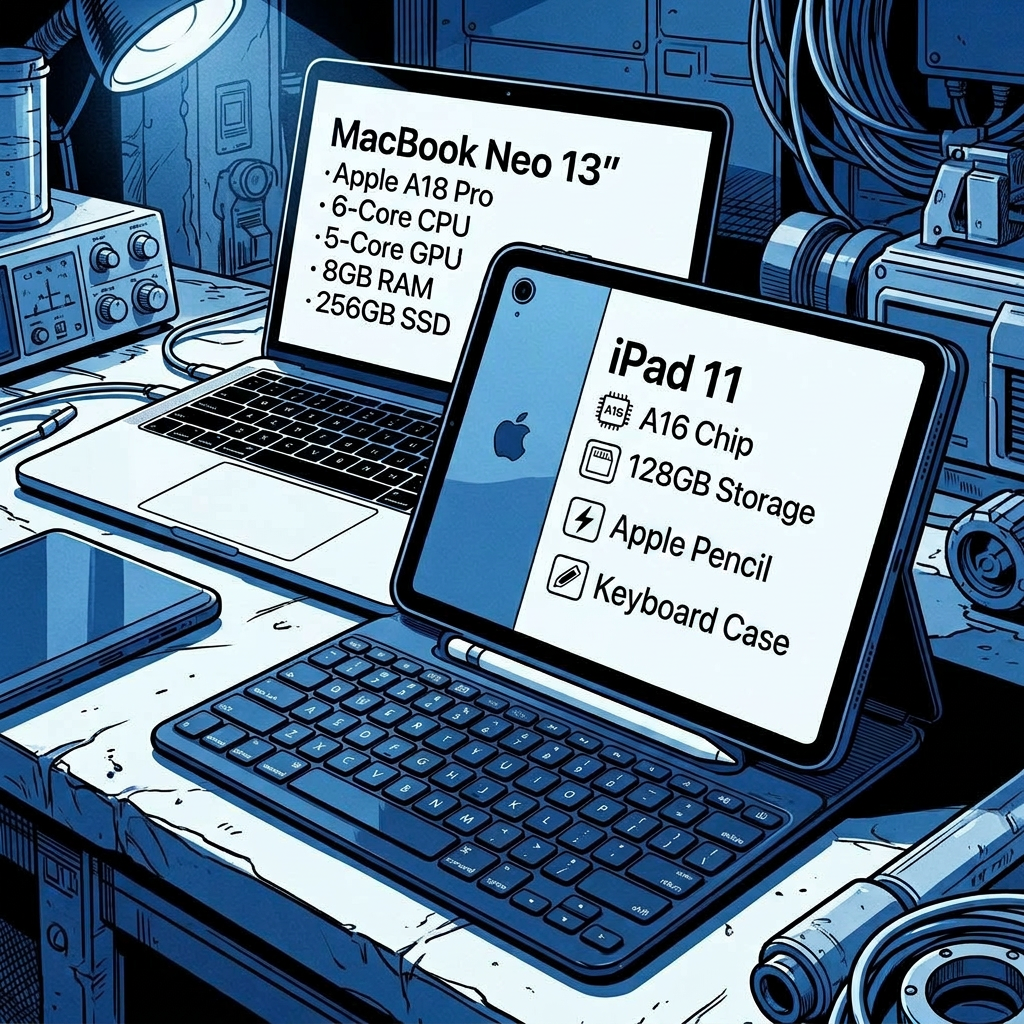
iPad 11
BEST FOR HANDS-ON AND CLINICAL PROGRAMS
iPad 11" A16 128GB (Blue) Bundle
Includes Apple Pencil (1st Generation), Logitech Slim Folio Keyboard Case, and Safeware + Theft Protection
The iPad bundle is ideal for students who need a portable, flexible device for labs, clinical environments, technical coursework, and field-based learning experiences.
Why Students Choose the iPad
- Take handwritten notes using Apple Pencil
- Annotate PDFs, diagrams, worksheets, and lab materials
- Access apps designed for clinical, technical, and hands-on training
- Lightweight and portable for use in labs, clinics, and fieldwork
- Great for students who prefer touch-based interaction and mobility
Some programs are designed with the iPad workflow in mind. Choosing a different device may impact how you access or engage with certain course materials and activities.
Programs That Commonly Prefer the iPad
- Aerospace Technology
- Automation & Manufacturing
- Automotive Technology
- Dental Hygiene (either device works well; students entering the program receive a MacBook Air through program fees/requirements)
- Digital Medical Sonography (either device works well)
- Drafting Technology
- Electronics & Environmental Technologies
- EMS
- Pre-Architecture
- Radiologic Technology (either device works well)
If you’re unsure which device is best for your program, or if you don’t see your program listed, please reach out to your academic advisor or instructor for guidance. They can help you make sure you’re selecting the option that best supports your coursework and program requirements.
MacBook Neo
BEST FOR PRODUCTIVITY, WRITING, AND ONLINE COURSEWORK
13-inch MacBook Bundle
Apple A18 Pro Chip with 6-Core CPU and 5-Core GPU, 8GB Memory, 256GB SSD (Silver) + AppleCare+
The MacBook bundle is ideal for students who need a traditional laptop experience for writing-intensive courses, online learning, research, multitasking, and productivity-focused coursework.
Why Students Choose the MacBook
- Write papers, reports, essays, and discussion posts efficiently
- Multitask with Canvas, Word, Zoom, email, and web browsers open simultaneously
- Full keyboard and trackpad experience for extended coursework sessions
- Well-suited for research, document creation, presentations, and online classes
- Reliable for longer assignments and productivity-based workflows
The MacBook supports running multiple applications at the same time and is especially beneficial for students in programs with significant writing, research, communication, and online coursework requirements.
Programs That Commonly Prefer the MacBook
- Business
- Culinary Arts
- Dental Hygiene (either device works well; students entering the program receive a MacBook Air through program fees/requirements)
- Digital Medical Sonography (either device works well)
- Education
- English
- Humanities and Social Sciences
- Public Services
- Radiologic Technology (either device works well)
If you’re unsure which device is best for your program, or if you don’t see your program listed, please reach out to your academic advisor or instructor for guidance. They can help you make sure you’re selecting the option that best supports your coursework and program requirements.
Watch this short video for a step-by-step walkthrough of the ordering process.Fall 2026 DACC XCite
How to Order Your Device Bundle
Contact Us!
Visit our Frequently Asked Questions Page for more information.